
Using a Network Diagram in Microsoft Project

Using a network diagram in microsoft project

Using a Network Diagram in Microsoft Project: A network diagram in Microsoft Project is a visual representation of project tasks, their dependencies, and the sequence in which they need to be completed. It helps project managers plan and schedule tasks, identify critical paths, and manage resources effectively. Using a network diagram ensures that projects are completed on time and within scope, helping teams stay on track.
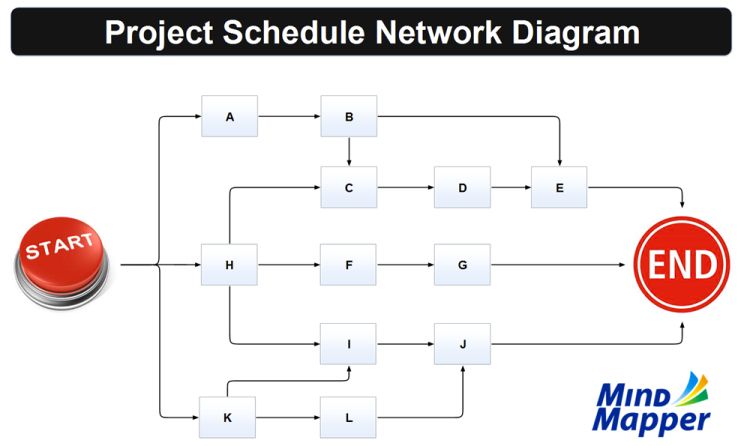
Project schedule network diagram

Project schedule network diagram

Project schedule network diagram: A Project Schedule Network Diagram is a visual representation of the project’s tasks and their dependencies, helping to determine the most efficient project timeline. It maps out each activity as a node, with arrows showing the sequence and dependencies between tasks. This tool is essential for identifying the critical path — the longest sequence of dependent activities — and potential bottlenecks, allowing project managers to allocate Continue reading Project schedule network diagram→